
Supplier document collection is rarely won or lost on the first request. It is won or lost on the third: the one nobody sent because the file had slipped their mind, or because the contact had changed. A tool that sends requests but leaves the reminders to your teams therefore solves nothing: it simply shifts the workload.
This article compares five tools whose features can be publicly verified as of November 2026, explains where each one stops and proposes a five-question decision grid. The aim: to distinguish a tool that collects from a platform that maintains supplier compliance over time.
In brief
- Four building blocks make collection genuinely automated: a single supplier portal, multichannel collection, reminders triggered by the document's expiry date, and data extraction that turns the PDF into usable information.
- Document collection software manages documents. A supplier compliance platform manages requirements, by supplier, by product and by standard (IFS Food, BRCGS, GFSI).
- The five tools compared: Superdocu, Clustdoc, AddWorking, Aprovall (formerly e-Attestations) and Tracklab.
- "Not specified on the vendor's website" does not mean "feature absent": only "not verifiable remotely". A demo remains essential.
- The right starting point is not the list of features, but the list of documents you must prove at audit.
1. Why manual reminders do not hold up beyond 200 suppliers
The volume to be handled is not the number of suppliers. It is the product of three factors: suppliers × documents expected per supplier × annual renewals. With 200 suppliers and eight to twelve documents required per file, you are already managing several thousand deadlines a year, each with its own date, version and recipient.
Yet these deadlines are not uniform. An IFS or BRCGS certificate is renewed on a fixed date, a technical data sheet changes with every reformulation, a certificate of analysis arrives batch by batch, and a statutory certificate depends on the supplier's situation. Three different timeframes in the same file, and a single mailbox to track them.
Three mechanisms then cause the manual process to give way:
- The contact who changes. The reminder goes to the wrong person, who forwards it and replies only in part. The supplier is not being unwilling: the request has not reached the right person.
- Reminders without a history. A reminder sent from a personal mailbox proves nothing to an auditor. Without a date or a log, the team cannot demonstrate that it requested, followed up and checked.
- The pre-audit peak. The same people send reminders, check documents and prepare the audit. The larger the panel, the more the workload is concentrated in the preceding weeks.
A document renewal engine does not remove these constraints: it takes them off your teams' minds. Requests, reminders, internal escalation and time-stamping become rules that are executed automatically, and your team only steps in for exceptions. To understand the mechanism from the supplier's side, see our guide on the supplier portal: definition and implementation.
What this changes when choosing a tool: the useful question is not "can the tool send an email?", but "does the tool know that a document expires in 30 days and that a supplier has not responded to two reminders?".
2. Document collection tool or supplier compliance platform: the distinction that prevents a poor choice
Confusion between the two families accounts for a good share of disappointing projects.
A document collection tool industrialises an exchange: a checklist, a portal, requests, reminders, a "received / validated / rejected" status. It excels when compliance stops at the presence of a document: a company registration extract (Kbis), an insurance certificate, a supporting document.
A supplier compliance platform starts from the opposite end: document requirements by supplier, by purchasing category, by country or by quality standard. It must then answer questions that collection alone does not address: does this certificate actually cover the scope delivered? Does this technical data sheet match the product received? Does this analysis comply with the applicable regulatory limit?
The table below summarises the operational consequences of this distinction.
| Question | Collection tool | Supplier compliance platform |
|---|---|---|
| Starting point | List of documents to obtain | Requirements by supplier, product and standard |
| Reminder trigger | Reminder schedule | Document expiry date and file status |
| Content control | Presence and validity of the document | Reading of the document's data and comparison with a requirement |
| Audit evidence | History of requests | History of checks and decisions, with the source document attached |
| Main risk | File complete but non-compliant | Set-up cost and time |
For a manufacturer subject to IFS Food or BRCGS, the second column is the one that counts, because the audit does not focus on the existence of documents but on control of the approval process. Our page on supplier compliance software details the capabilities to expect, and our guide on supplier regulatory document management sets out what the standards actually require.
3. 2026 comparison: 5 supplier document collection tools
Five tools were selected for their document use as identifiable on their vendor websites. Three are generalist, one focuses on the legal compliance of subcontractors and one specialises in supplier and product documents for industry. The comparison covers what document collection software must be able to do, not a popularity ranking.
| Tool | Intended use | Reminders | Deadline tracking | AI extraction | Where it stops |
|---|---|---|---|---|---|
| Superdocu | Collection of customer and supplier documents, customisable workflows | Automatic, based on a reminder schedule | Expiry dates tracked, renewals requested | Not specified on the vendor's website | Food industry standards not specified |
| Clustdoc | Supplier files and onboarding, all sectors | Automatic, email and SMS | Automated renewal management | Not specified on the vendor's website; fields extracted via forms | Technical product control not specified |
| AddWorking | Subcontractors and partners, legal compliance | Automatic, included from the free plan | Compliance status and document history | Not specified on the vendor's website | Legal and social documents, not technical product documents |
| Aprovall (formerly e-Attestations) | Third-party assessment and document collection, large accounts | Automatic, via a dedicated portal | Missing and expired documents tracked | "AI-assisted" document processing, scope not detailed | Food industry standards and third-party databases not announced |
| Tracklab | Manufacturing and food manufacturers | Automatic based on expiry dates, with internal escalations | Tracking by supplier and by product, alerts before expiry | Extraction of critical data (validity, analytical values, allergens) | Specialised in manufacturing and food; not an ERP |
Prices are displayed by only one vendor: AddWorking publishes an Essentiel plan at €0, a Business plan at €49 per licence per month (€39 with annual billing) and a Multi-Entité plan at €200 per entity per month. The other vendors do not publish prices.
Superdocu
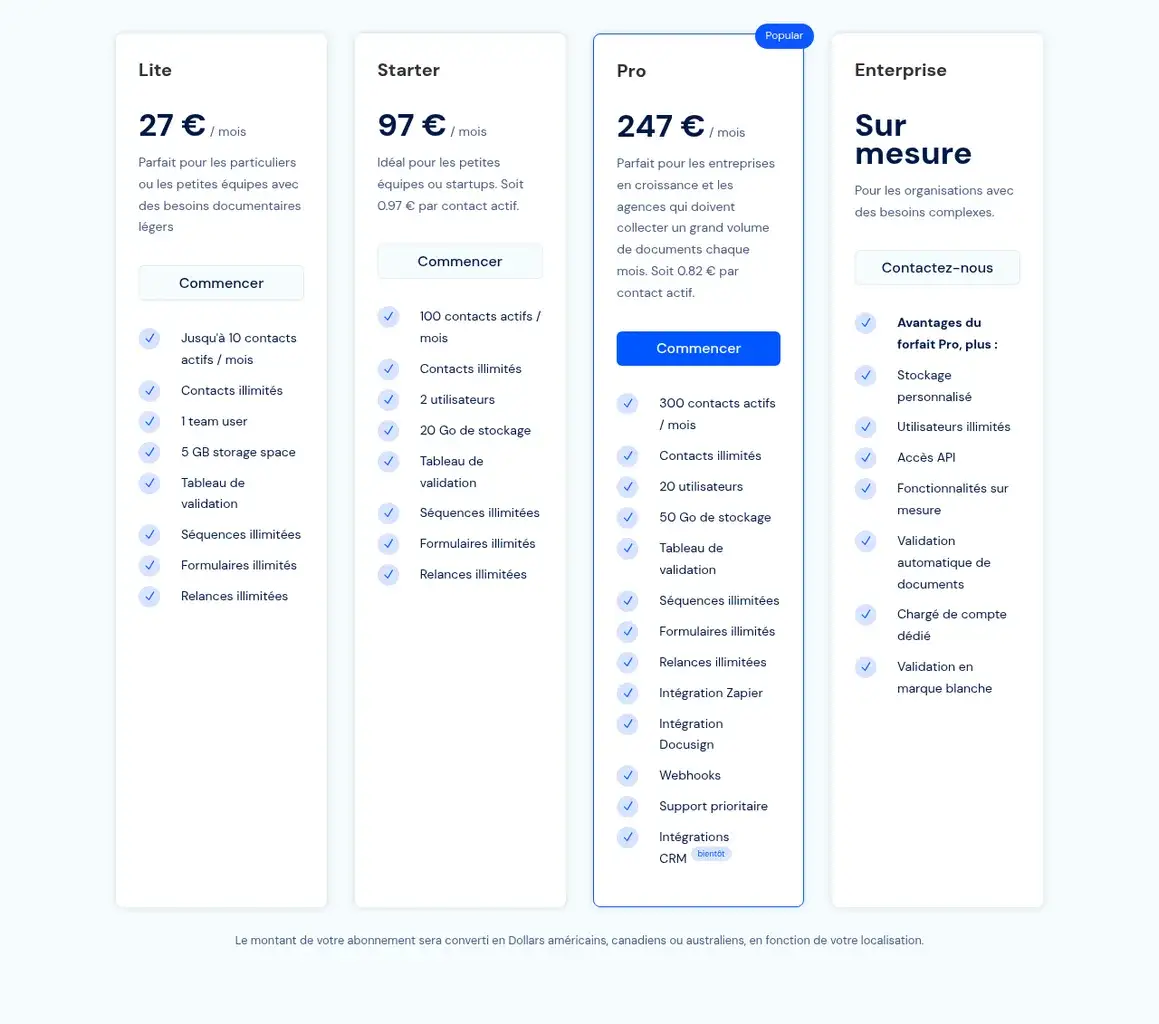
Superdocu organises collection into workflows: steps, forms, expected documents. Reminders are sent according to a reminder schedule for incomplete files, and expiry dates trigger renewal requests. It is a quick tool to configure for administrative documents, with a customisable portal and connections via API or Zapier.
Clustdoc
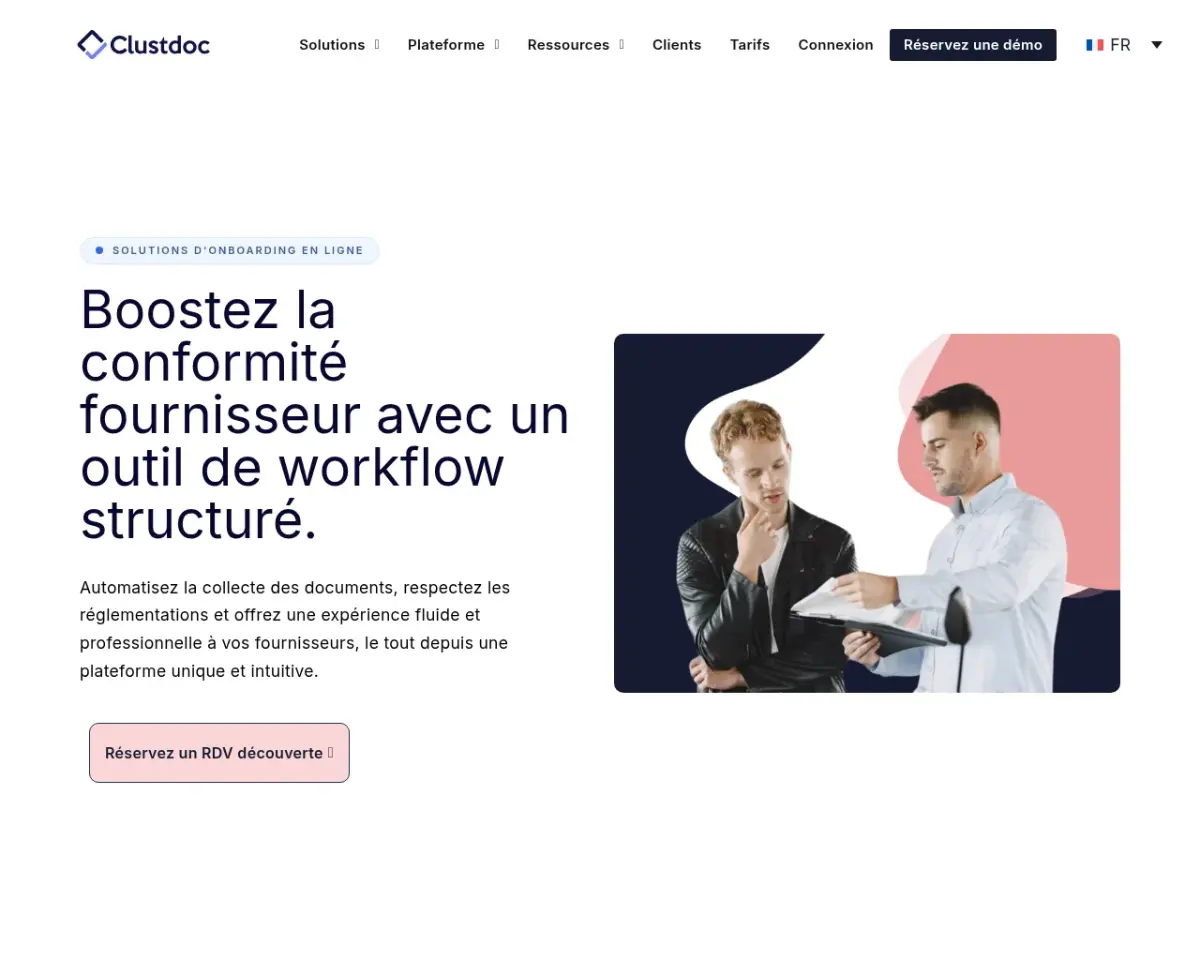
Clustdoc combines checklists, a validation workflow, email and SMS reminders, and a supplier portal. Its supplier compliance page mentions document renewals, the audit trail and the adaptation of workflows to the risk level of third parties. The tool presents itself as cross-functional: several sectors, several file uses.
AddWorking
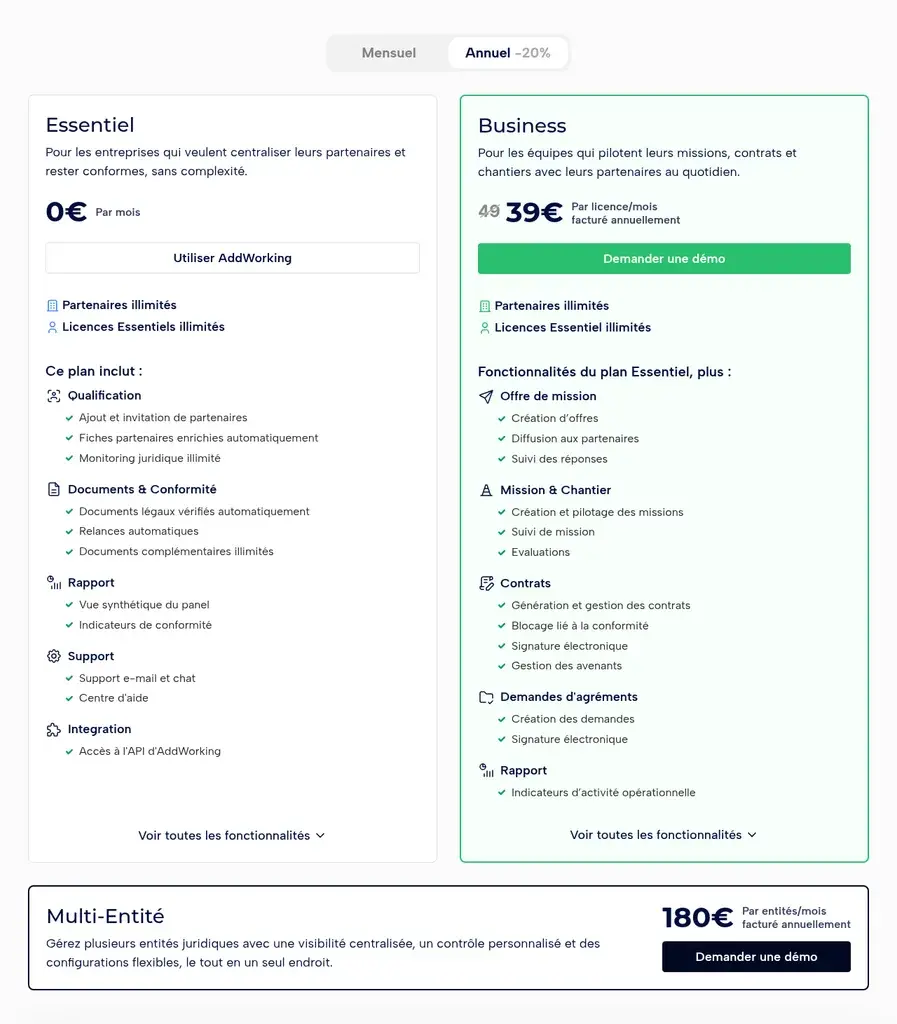
AddWorking targets the relationship between contracting companies and subcontractors: qualification, collection of legal documents, automatic verification of mandatory documents (company registration extract (Kbis), URSSAF social-contribution certificate, tax certificate, professional liability insurance), compliance status and automatic reminders. Contracts, assignments and approval requests complete the paid offering. It is the clearest tool in the comparison in terms of scope and price.
Aprovall (formerly e-Attestations)
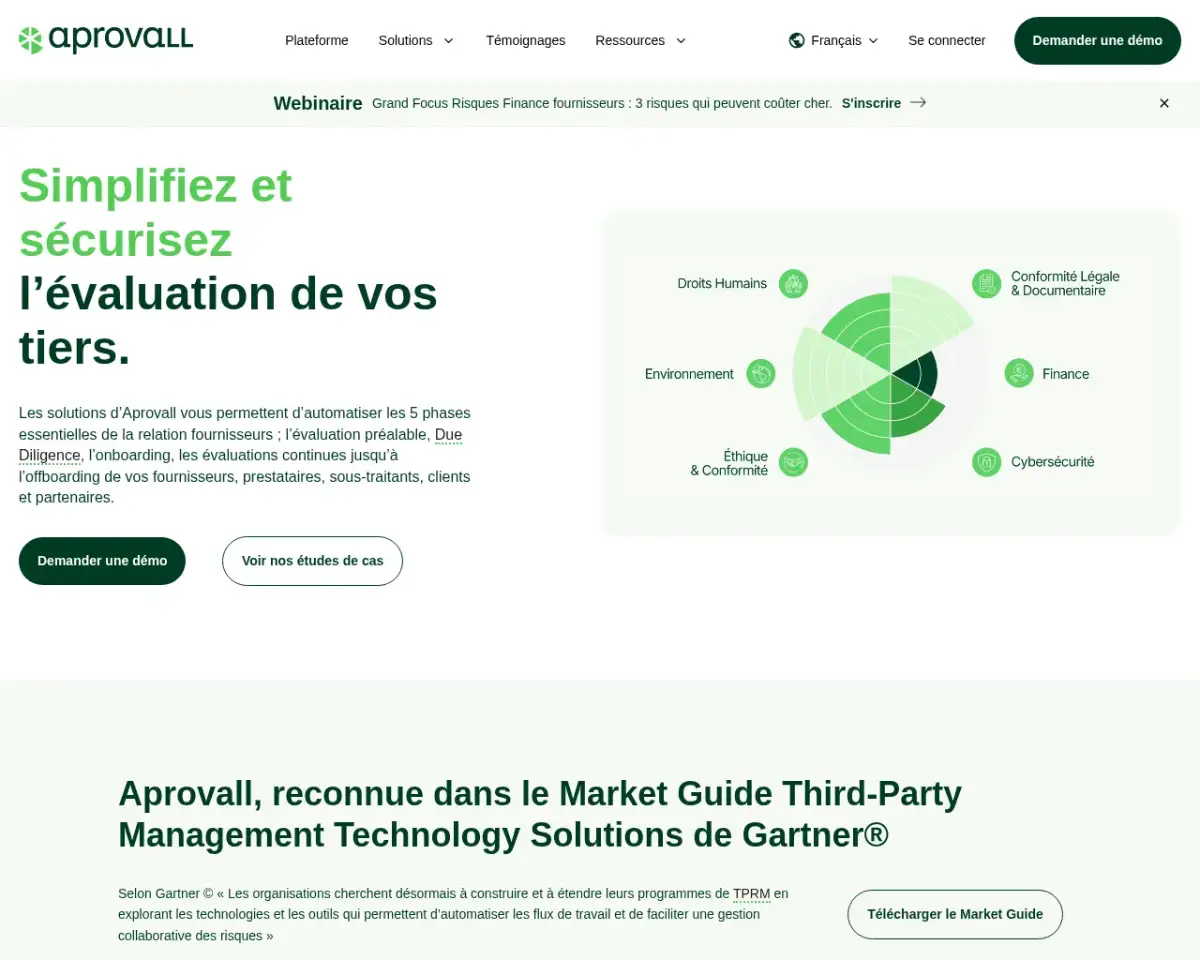
Aprovall, the new name of e-Attestations, covers the third-party life cycle: due diligence, onboarding, continuous assessments. Document collection relies on a portal, workflows adapted to supplier criticality, reminders and API integration. The vendor highlights hosting in France, ISO 27001 and 27701 certifications and "AI-assisted" document processing, without detailing the data extracted.
Tracklab
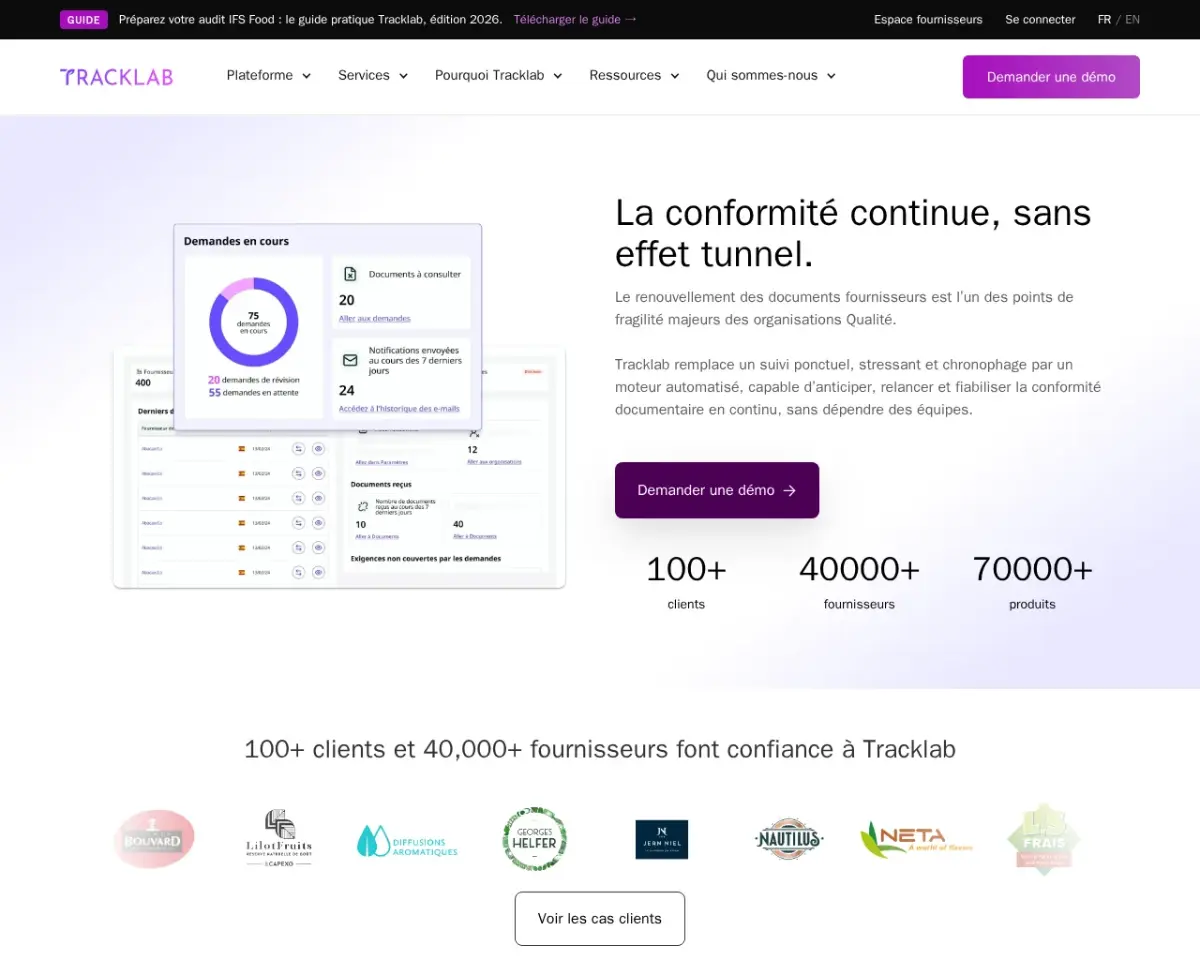
Tracklab, the publisher of this website, centralises supplier and product documents for manufacturing and food manufacturers, triggers requests and reminders at expiry, and uses AI to extract critical information from the documents received. On top of this come certification tracking (IFS, BRCGS, ISO, GlobalG.A.P.), connections to third-party databases (certifications, RASFF, MRLs) and the history of requests, reminders and validations. No pricing is published.
For a comparison extended to compliance platforms, our 2026 comparison of supplier compliance software covers seven solutions with a different grid.
4. Our comparison method and its limitations
The method is deliberately modest, because a tool comparison quickly degenerates into a sales pitch.
- Sources. Each feature cited comes from a public page on the vendor's website, read on 9 November 2026: product page, solution page or pricing page. No information is taken from a third-party directory.
- No real-world testing. We have not deployed the five tools on a supplier panel. Real configuration reveals gaps that a marketing page does not show: ease of use of reminders, handling of duplicates, quality of the portal on the supplier side.
- Convention on AI. The mention "not specified on the vendor's website" means that the vendor does not publicly document AI data extraction on the page consulted. It is not a judgement on the product.
- Prices. Only published prices are included. No price means a quote is required, not that the tool is free.
- Excluded scope. Third-party rating platforms focused on cyber scoring and questionnaires, generalist document management systems and ERP supplier modules are not compared: their core use is not supplier document collection.
- No overall score. A single weighting would mask the only criterion that really matters: the documents you must present at audit.
5. Where each tool stops: a criterion-by-criterion reading
Supplier reminders: schedule or expiry date?
A supplier reminder programmed on a fixed schedule (D+7, D+14) works for a stable administrative document. It becomes ineffective for a document whose validity date varies from one supplier to another. Tools that drive reminders by the document's expiry date, rather than by a day counter, avoid two symmetrical errors: chasing a supplier too early when its certificate still has six months to run, and discovering too late that a certificate has expired.
On this criterion, Clustdoc, AddWorking, Aprovall and Tracklab announce automated reminders; Superdocu documents them in the form of a reminder schedule. The difference then lies in escalation: what happens when the supplier does not respond? Tracklab documents an alert to the buyer in the event of a blockage.
Supplier portal and supplier experience
A portal that the supplier does not use amounts to collection by email. Three signals to check in a demo: can the supplier upload without creating a complex account? Can they see what is missing and what is expiring? Do they receive reminders in their own language?
All five tools offer a portal. AddWorking specifies that partners upload their documents free of charge; Tracklab documents multilingual reminders as part of its deployment.
Technical product documents
This is the clearest dividing line. Statutory certificates, Kbis extracts and insurance relate to the company's compliance. Technical data sheets, certificates of analysis, specifications and laboratory reports relate to the compliance of the product delivered.
AddWorking and Aprovall publicly document the first set. Tracklab documents the second: technical data sheets, certificates of analysis, laboratory analyses, specifications. Superdocu and Clustdoc allow any document to be collected, with no announced technical product control.
Standards and third-party databases
An expired IFS or BRCGS certificate cannot be seen in a well-organised file. Tools that connect to certification databases, or to surveillance databases (RASFF for health alerts, MRLs for maximum residue limits), detect the gap without waiting for the supplier. Tracklab announces these connections. The other four vendors do not mention any on the pages consulted.
AI document extraction: what can be verified
AI document extraction is only worthwhile if you know which data are read. Three levels can be distinguished:
- No extraction announced : the document is stored and validated manually.
- Form-based extraction : the supplier enters the fields themselves (approach documented by Clustdoc).
- Extraction from the document : the platform reads the PDF and structures the data, with the source document attached (approach documented by Tracklab for validity dates, analytical values and allergens).
Aprovall mentions AI-assisted document processing without specifying the fields. For Superdocu and AddWorking, the feature is not specified on the vendor's website. In all cases, extraction does not replace the decision: it feeds a check, it does not sign it off.
Evidence and traceability
At audit, the question is not "do you have the document?" but "can you demonstrate the decision?". So look for a time-stamped, named history of requests, reminders, validations and rejections. Clustdoc mentions an audit trail, Tracklab a history of requests, reminders and validations. For the others, this point should be explicitly requested in a demo.
6. How to choose in 5 questions
- Which documents must you present at the next audit? List them by standard and by product family. If the list contains technical data sheets or certificates of analysis, a tool designed for administrative documents will not be enough.
- Who sends reminders today, and how much time do they spend on it? If the answer is "the quality manager, between two audits", automating reminders is the first gain to secure.
- Are your deadlines heterogeneous? If so, insist on reminders driven by the document's date, with escalation in the event of no response.
- What level of content control do you expect? Presence of the document, consistency of dates, or comparison of the document's values with your requirements: three levels of service, three budgets.
- Who administers the tool? Heavy configuration shifts the workload onto your IT department. Check the support offered: Tracklab states around 6 hours of involvement from your teams spread over around 6 weeks, with no involvement from your IT department.
7. The mistakes that cause a document collection project to fail
- Starting from the tool instead of the requirements. Configuration is built from your standards and purchasing categories, not from demo screens.
- Confusing completeness with compliance. A 100% complete file can still be non-compliant if the technical data sheet does not match the product delivered.
- Automating a vague rule. An automatic reminder on a poorly defined requirement creates noise: the supplier receives requests they do not understand and stops responding.
- Forgetting the supplier in the design. A portal in English imposed on an Italian or Turkish supplier causes the response rate to drop.
- Not keeping a history of exchanges. Without a log, the team has to redo the evidence work at every audit.
- Neglecting the migration of existing data. Starting from scratch on 200 files already compiled costs more than the licence. Check who migrates the history, and how.
Frequently asked questions
Document collection:
your questions.
Which tools really automate supplier document reminders?
Of the five tools compared, Clustdoc, AddWorking, Aprovall and Tracklab publicly document automatic reminders; Superdocu presents them as a reminder schedule. The real difference lies further on: reminders based on the document's expiry date, internal escalation in the event of no response, and a log of what has been sent.
What is the difference between document collection software and a supplier compliance platform?
The former secures the obtaining and filing of documents. The latter adds the definition of requirements by supplier and by product, control of content and evidence of decisions. For a certified manufacturer, it is this second layer that is audited.
Does AI document extraction replace quality control?
No. Extraction reads and structures the data in a document: validity date, analytical values, declared allergens. The decision to accept, reject or request a correction remains a human one, and must remain traceable.
Should a food manufacturer choose a sector-specific tool?
As soon as your evidence includes GFSI standards, certificates of analysis or surveillance databases, a sector-specific tool avoids bespoke development. For a panel of service providers with no technical product documents, a generalist tool is often sufficient.
How long does it take to deploy a document collection tool?
It depends on the migration of historical data and the number of suppliers. Tracklab states around 6 hours of involvement on the client side, spread over around 6 weeks. For other tools, ask for a written deployment plan before signing, showing the actual workload for the quality team.
Sources
- Tracklab - home page, accessed on 9 November 2026: 150+ manufacturers equipped and 40,000+ suppliers listed.
- Tracklab - document renewal engine, accessed on 9 November 2026.
- Tracklab - "Almafrutta strengthens supplier compliance and document management with Tracklab", press release of 20 November 2025.
- Superdocu - vendor website, accessed on 9 November 2026.
- Clustdoc - supplier compliance, accessed on 9 November 2026.
- AddWorking - pricing for contracting companies, accessed on 9 November 2026.
- Aprovall (formerly e-Attestations) - vendor website, accessed on 9 November 2026.
Want to see how Tracklab drives reminders according to the expiry date of each supplier document?
Book a demo ↗Take control of your supplier data.
See how Tracklab centralizes, validates and keeps your supplier and product data up to date, so your teams can work faster with reliable information.
See Tracklab in action