GUIDE
Prepare your IFS Food audit: the Tracklab practical guide, 2026 edition.
Download the guide →Guide pratique IFS Food : préparez votre audit avec Tracklab
Indiquez vos coordonnées pour accéder immédiatement au téléchargement.
✓ C’est prêt
Le fichier s’ouvre dans Google Drive : vous pouvez le télécharger ou l’imprimer.

Regulatory
Mis à jour le
10/20/2026
4/11/26
REACH eSDS: reading an exposure scenario and checking that it actually covers your workshop
An eSDS only protects you if your actual conditions are covered by an exposure scenario: the 4 parameters to read, a comparison example, the options if there is a gap and a monitoring method.


In brief
- An eSDS is not a different document from an SDS: it is the same sheet, compliant withAnnex II of Regulation (EC) No 1907/2006, supplemented by annexed exposure scenarios.
- An exposure scenario describes the conditions under which a substance can be used safely: process, releases, duration, quantity, temperature, risk management measures.
- The right question is not "have we received the eSDS?" but " are our actual conditions included in a scenario? ". An eSDS filed away in a binder protects no one.
- When a use is not covered, the downstream user must comply with the conditions of the scenario or carry out its own risk assessment: four options are detailed below.
- This page provides a reading grid for the four key parameters, an example comparing temperature and duration, a six-step collection method and an eight-point checklist.
1. eSDS: a short, quotable definition
An eSDS (extended safety data sheet) is a safety data sheet compliant with Annex II of Regulation (EC) No 1907/2006, to which one or more exposure scenarios are annexed, describing the conditions under which the substance can be used safely throughout its life cycle.
An exposure scenario is itself defined by the regulation as a set of information describing the conditions under which the risks associated with the identified uses can be controlled, from production to disposal (French national REACH regulatory helpdesk, INERIS). It combines two families of information:
- the operational conditions: duration and frequency of use, quantity, temperature, pH, concentration, containment;
- the risk management measures (RMM, risk management measures): ventilation or local exhaust, type of gloves, treatment of aqueous and gaseous releases, waste management.
Three clarifications avoid common misreadings. First, the eSDS is not a second document alongside the SDS: the scenarios are an annexto it, and the information they contain must be reflected in the body of the sheet, in particular in sections 1, 2, 3, 7 and 8. Second, the expression "extended safety data sheet" refers to exactly the same thing in international groups: an SDS extended by annexes. Finally, the eSDS says nothing about articles: for a part, a component or a packaging item, there is no SDS and it is the Article 33 information that applies. For articles, it is the information obligations of suppliers of articles that apply, not exposure scenarios.
2. When must a supplier provide an eSDS?
The obligation stems from thechemical safety assessment (CSA, chemical safety assessment): as soon as an assessment has been carried out and exposure must be controlled, the corresponding scenarios are annexed to the SDS, in accordance with Articles 14 and 31 of the regulation.
In practice, two situations should be distinguished; it is the second that triggers the provision of an eSDS:
- A substance subject to authorisation (Annex XIV), or for which an application for authorisation has been submitted: inclusion in Annex XIV does not in itself trigger an eSDS, but the SDS must enable the user to check that its use falls within the scope of the authorisation decision.
- A substance registered above 10 tonnes per year where the registrant must prepare a chemical safety report, i.e. where the substance is classified as hazardous or assessed as PBT / vPvB. The 10 t/year threshold and the hazard criterion are cumulative: a high tonnage for an unclassified substance is not sufficient.
| Situation | Expected document | What you check first |
|---|---|---|
| Hazardous substance or mixture, without CSA | Annex II SDS | Classification, composition, limit values, PPE |
| Substance registered > 10 t/year, classified or PBT/vPvB | eSDS with exposure scenarios | Scenario titles and coverage of your uses |
| Substance subject to authorisation (Annex XIV) | SDS + elements of the authorisation decision | Is your use covered by the authorisation? |
| Mixture containing an assessed substance | SDS + relevant scenario information for the mixture | Has the formulator passed on the applicable RMMs? |
| Article (part, component, packaging) | No SDS: Article 33 information | Composition declaration, 0.1% w/w threshold |
A practical point: the mixture formulator must pass on the relevant information from the scenarios in the SDS for its mixture. If you buy a preparation rather than a substance, you should therefore receive usable RMMs, not just the names of the substances.
3. The 5 SDS sections affected by exposure scenarios
The scenarios are annexed at the end of the document, but their parameters must be readable in the body of the sheet. Five sections serve as checkpoints. The content of each section is detailed in our guide to the 16 sections of Annex II.
| Section | What the scenario contributes | Checkpoint for the user |
|---|---|---|
| 1. Identification (1.2 identified uses) | The list of assessed uses, aligned with the scenario titles | Is your workshop use listed, with the right descriptor? |
| 2. Hazard identification | The classification and hazard statements associated with the conditions described | Is the classification consistent with the prescribed precautions? |
| 3. Composition | CAS / EC identifiers, concentration, DNEL and PNEC of the assessed substance | Is the concentration used in the scenario that of the product delivered? Also identify any substances of very high concern on the Candidate List |
| 7. Handling and storage | Operational conditions, incompatibilities, ventilation, storage temperature | Are your premises and adjacent storage compatible? |
| 8. Exposure controls | DNEL / PNEC, OELs, PPE, local exhaust, reference values and monitoring | Have the scenario's RMMs been translated into actual, available equipment? |
Section 8 is the one that turns a scenario into workstation instructions: this is where you can see the gap between "gloves recommended" and "gloves actually worn at the workstation". Section 3 is the one that allows cross-checking with the substances you monitor, and therefore with the SVHC Candidate List and Annexes XIV and XVII.
4. How to read an exposure scenario: the four parameters
A scenario reads like a contract of conditions. Four parameters are enough to reach a conclusion, provided they are compared one by one with your production reality.
| Parameter | Typical form in the scenario | What you are looking for | Common mistake |
|---|---|---|---|
| Process category (PROC) | "PROC 7 – industrial spraying", "PROC 13 – treatment of articles by dipping" | An exact match with your operating method | Choosing the closest PROC without checking the application method |
| Environmental release category (ERC) | "ERC 4 – industrial use of processing aids", "ERC 7 – industrial use of substances in articles" | The fate of the substance: water, air, soil, wastewater treatment plant | Ignoring it because "the site releases nothing" |
| Operational conditions | Duration, frequency, quantity, temperature, pH, concentration, containment | The quantified gap, parameter by parameter | Comparing only the annual quantity |
| Risk management measures | Local exhaust ventilation, general ventilation, type of gloves, effluent pre-treatment, waste stream | Their existence, compliance and actual effectiveness | Ticking "PPE worn" without checking the prescribed material |
Two habits speed up reading. Read the title before the annexes: the title of a scenario is a combination of descriptors (sector of use SU, product category PC, PROC, article category AC); it tells you in one line whether you are within scope. Find section 9 of the scenario: it contains guidance for the downstream user to assess for itself whether it is working within the set limits, which is precisely the check expected of you.
A scenario is not a general recommendation. It is a domain of validity: inside it, the prescribed measures are sufficient; outside it, nothing has been demonstrated.
5. Checking the coverage of your actual conditions of use
The method has four steps, to be carried out per use rather than per product.
- Describe the actual use, without rewording it to make it fit a scenario: process, equipment, quantity per day, duration, temperature, ventilation, PPE, release route.
- Identify the candidate scenario from the title and section 1.2.
- Compare the four parameters in the previous table, using actual values rather than target values.
- Record the decision in writing: covered, covered subject to conditions (measures to be implemented), or not covered. Date it, link it to the SDS version and name the approver.
Example comparing temperature and duration
Take a simple illustrative case: an immersion degreasing workstation uses a cleaning mixture whose eSDS contains a scenario of the type "industrial use, manual dipping".
| Parameter | Scenario received | Actual workstation conditions | Interpretation |
|---|---|---|---|
| Bath temperature | Ambient temperature | 55°C | Outside the assessed domain: emissions to air increase with temperature |
| Contact time | Short, a few tens of minutes per day | 6 hours per day | The exposure time and inhaled volume are no longer those of the scenario |
| Quantity used | Low, single units | 12 kg per day | To be reconciled with the scenario's assumptions |
| Ventilation | Local exhaust ventilation prescribed | No local exhaust, general ventilation only | The scenario's key RMM is not in place |
| Skin protection | Gloves of a defined material | Gloves of another material, available | Protection of a different type is not equivalent by default |
The verdict is not "more or less covered": the workstation falls outside the assessed scope on at least three parameters. Two immediate consequences. First, the SDS received remains the right documentary reference: it is theuse that is not covered, not the document that is wrong. Second, this conclusion must be recorded, because it is what demonstrates, during an inspection, that you have fulfilled your role as a downstream user.
The same reasoning applies to less visible parameters: the concentration of the substance in the mixture after dilution, the air change rate of the premises, process containment, the pH of the bath and the effluent release route.
6. What to do when your conditions are not covered?
Four options exist, to be weighed according to the industrial stakes and the timeframe. They are not mutually exclusive: a site can adapt a workstation and, in parallel, request an extension of the scenario.
| Option | When to choose it | What you must produce |
|---|---|---|
| 1. Adapt your conditions to the scenario | The gap can be corrected at reasonable cost: lower the temperature, reduce the duration, add local exhaust, switch to the prescribed PPE | Workstation modification sheet, photo, measurement or installation certificate |
| 2. Ask the supplier to cover the use | The use is real, stable and representative of your activity | Written request describing process, conditions, quantities; supplier's response; new SDS version |
| 3. Change product or supplier | The gap is structural or the supplier does not respond | Comparison of candidate eSDSs, reasoned purchasing decision, qualification plan |
| 4. Carry out your own assessment and downstream user report | The use is specific, the gap is major, or the supplier refuses | Chemical safety assessment, report compliant with Annex XII, notification to ECHA |
Three points to watch in this table.
The request to the supplier is a technical exchange, not a complaint. It must describe your process with the expected descriptors, your quantified conditions and the volume concerned. A supplier cannot assess a use described in one sentence. Plan a contractual deadline, because your production will not wait.
The downstream user report is a regulatory deliverable. It must be notified to ECHA, and the uncovered use must be reported within six months of receipt of the SDS (downstream user obligations, ECHA). Exemptions from the report exist under Article 37(4) - total use below one tonne per year, SDS not required, research and development - but they do not exempt you from applying appropriate risk management measures.
A difference is not always a gap. If your conditions differ slightly while remaining within the assessed domain, or if you demonstrate that your measures are at least as effective, coverage can be established. But it still has to be written down and explainable.
7. Method for collecting and monitoring eSDSs
The issue is not regulatory but logistical: obtaining the right version, for the right reference, with the right scenarios, and knowing at all times which uses are covered.
Step 1 – Inventory substances and mixtures by workshop. Cross-check the register of chemical agents, purchases and storage locations. A reference used without an SDS is the first gap.
Step 2 – Describe your conditions of use. A standardised use sheet per workstation: process, duration, frequency, quantity, temperature, pH, containment, ventilation, PPE, release route. This sheet is the input data for any comparison; without it, the discussion is based on impressions.
Step 3 – Request the eSDS at the time of ordering. The SDS is provided free of charge, at the latest on first delivery, in the recipient's language. Add a clause: transmission of the revised version in the event of a change in composition, classification, authorisation or restriction, and an obligation to report any uncovered use.
Step 4 – Check on receipt. Version, revision date, language, presence of scenarios, match between scenario titles and your uses. A binary verdict is better than a vague status: accepted or to be completed.
Step 5 – Compare and decide. Apply the four-parameter grid, record the verdict per use, and trigger one of the four options if there is a gap.
Step 6 – Version, archive, schedule. Keep successive versions with their date of receipt, and keep the information available for at least ten years after the last use (Article 39). Schedule an annual review and a targeted review for each new SDS version. These are the rules applied to version and archive supplier documents of all kinds.
Our teams can structure eSDS collection by workshop and keep the coverage verdict per use up to date.
| Reference database field | Why it is essential |
|---|---|
| Product and supplier reference | Link the SDS to an actual purchase, not to a catalogue |
| Version and revision date | Demonstrate which edition was in force on a given date |
| Title of scenarios received | Know what has been assessed without rereading 80 pages |
| Associated site use | Link a scenario to a workstation, a workshop, a piece of equipment |
| Coverage verdict and date | Prove the verification, not just the receipt |
| Next review / deadline | Trigger action before the audit, not during it |
8. 8-point checklist
- Does each substance or mixture assessed have an eSDS with annexed scenarios, in the official language of the Member State where it is placed on the market?
- Does section 1.2 mention your actual uses, with the corresponding descriptors?
- Have the scenario titles been matched to your workstations, or merely filed?
- Have the operational conditions (duration, quantity, temperature, pH) been compared one by one?
- Do the prescribed risk management measures physically exist at the workstation (local exhaust, PPE, pre-treatment)?
- Is each gap the subject of a dated verdict, with the chosen option and owner?
- Are requests to the supplier and their responses tracked, with deadlines?
- Are previous versions archived and the next review scheduled?
Frequently asked questions
eSDS:
your questions.
What is the difference between an SDS and an eSDS?
An eSDS is an SDS to which exposure scenarios are annexed. The base document is identical, governed by Annex II; it is the annexes that differ. An eSDS therefore has no higher documentary status: it adds a domain of validity that must be respected.
My supplier only sends me an SDS without an annex: should I request an eSDS?
It depends on the status of the substance. If it is registered above 10 t/year with an obligation to prepare a chemical safety report, scenarios are expected; inclusion in Annex XIV (authorisation) does not in itself require them. Ask the question in writing, citing the use concerned: the answer, even if negative, documents your approach.
Our use does not appear in section 1.2: what should we do?
It is a gap, not a detail: the use has not been assessed by the supplier. Report it in writing, with your actual conditions, and in parallel plan one of the options in the table in section 6.
Do we need to produce a downstream user report for every gap identified?
No. A simple difference in conditions does not require this report. It becomes necessary when your use falls outside the assessed domain and no adaptation or extension of the scenario can bring it back within scope. First check the exemptions in Article 37(4).
Our conditions differ slightly from the scenario: are we covered?
Not automatically. Coverage must be demonstrated: either the parameters remain within the assessed domain, or you prove that your measures are at least as effective. This demonstration must be written down and dated.
How long should an eSDS and the evidence of verification be kept?
Article 39 requires the information to be kept available for at least ten years after the last use of the substance or mixture. In practice, also keep previous versions: the question asked in the event of an accident is which instructions were in force on the date of the incident.
Does an eSDS cover the articles we manufacture?
No. Exposure scenarios concern the substances and mixtures used in your processes. For the articles you place on the market, the obligations are different: Article 33 information, notification to ECHA above one tonne per year and SCIP notification for substances of very high concern above 0.1% w/w. You must then notify the articles concerned in the SCIP database as soon as the 0.1% threshold is exceeded.
Who is responsible if the use is not covered by the scenario?
Responsibility is shared by design: the supplier assesses the uses it identifies, and the downstream user checks that its actual use is covered and, if not, takes action. In an audit, the question is not "who should have?" but "what did you check, and when?".
Further reading: the REACH topic cluster
This page explores a specific point of the pillar guide on supplier REACH compliance, which covers the allocation of roles, information obligations and the building of evidence. Links to the SDS, the SVHC threshold and SCIP notification appear in the text, in the relevant sections.
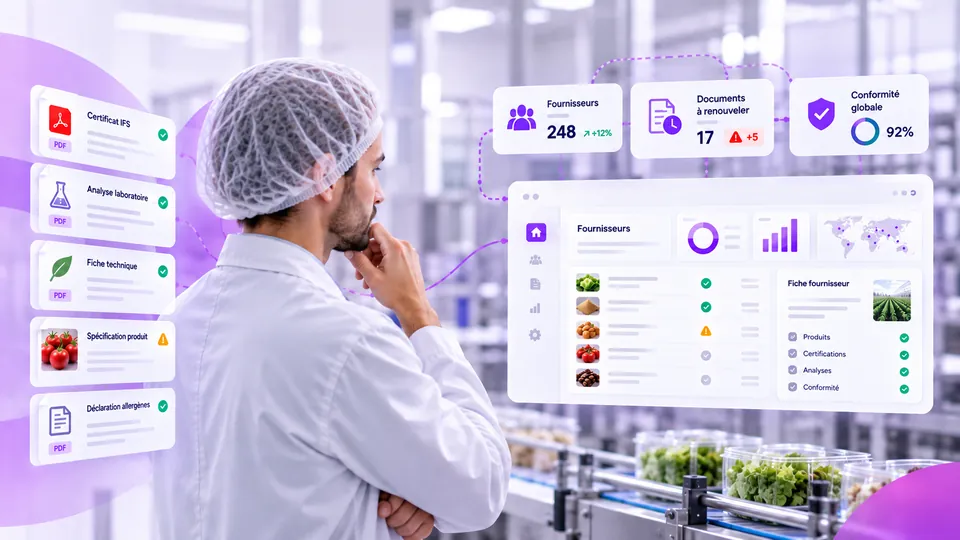
Operationally, the remaining difficulty is mechanical: tracking, for hundreds of references and suppliers, SDS versions, scenario titles, associated uses and review deadlines. This is the role of a platform such as Tracklab, which centralises supplier and product data and automates document collection: documents are linked to the products concerned, the critical information they contain is extracted, and deadlines are tracked. Tracklab is neither an ERP nor a regulatory monitoring tool: regulatory interpretation, comparison of actual conditions and the compliance decision remain the responsibility of the HSE, Quality, Regulatory and Purchasing teams.
Official sources
- Regulation (EC) No 1907/2006 (REACH), consolidated text – EUR-Lex
- Extended safety data sheets – ECHA
- Downstream user obligations and reports – ECHA
- Guidance on the compilation of safety data sheets (Annex II) – ECHA
- Exposure scenarios – French national REACH regulatory helpdesk (INERIS)
- How downstream users can handle exposure scenarios – INERIS
- All about exposure scenarios – French Ministry for the Ecological Transition
Want to see how Tracklab tracks your eSDSs, their scenarios and the coverage of each use?
Request a demo ↗REACH audit checklist
Enter your details for immediate access to the download.
✓ It's ready
The file opens in Google Drive: you can download or print it.
Take control of your supplier data.
See how Tracklab centralizes, validates and keeps your supplier and product data up to date, so your teams can work faster with reliable information.
See Tracklab in action
Our latest news


Platform
Resources
You have subscribed to our newsletter thank you!
Oops! Something went wrong while submitting the form.